Probable Cause
- Faulty Module
Required Material
| A new inlet Module | 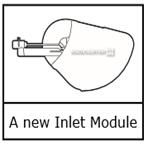 |
Resolution steps
| 1. Tap Menu > Analyzer status > Other activities > Inlet check > Repl. inlet connector gasket > Press to start video guidance | Not Available |
| 2. Pull off the inlet cover |  |
| 3. Tap the Action completed button. The analyzer opens the inlet. | Not Available |
| 4. Hold the Inlet Module as shown and pull to the right |  |
| 5. Tap the Action completed button 4 times | Not Available |
| 6. Make sure that the tabs on the inner side of the new Inlet Module are in the correct position. |
 |
| 7. When the analyzer tells you to, hold the new Inlet Module as shown and push the end into the inlet connector until it clicks in place. |
 |
| 8. Tap the Action completed button >The analyzer closes the inlet > Put on the inlet cover >Tap the Action completed button. | Not Available |
Comments
0 comments
Please sign in to leave a comment.